Personal library
How to Catalog a Home Library: A Practical Guide for Book Lovers
To catalog a home library, make a searchable record of the books you own and where each copy lives. Start with a few useful fields, work through one shelf at a time, and check every ISBN match before saving it. This guide covers paper lists, spreadsheets, and catalog apps, with a practical example using Inkshelf.
Catalog your books in five steps
- Decide whether the catalog covers owned books only or other lists too.
- Record a title, author, and shelf location for each copy.
- Add an ISBN when available, then check the edition details.
- Group books into a few useful collections and record loans.
- Finish one shelf, review it, and repeat with the next.
Decide what your home library catalog needs to answer
A catalog can answer simple questions: Do I own this book? Which edition is it? Where is my copy? Did I lend it to someone? Write down the questions that matter to you before choosing fields or an app.
Decide whether your inventory means physical books you own, every book you have read, or a wider list that also includes ebooks and titles you hope to read. A wish list and a shelf inventory serve different purposes. If you keep both, mark ownership clearly so a search does not mistake a wanted book for one on your shelf. Our TBR list guide explains how to manage books you want to read next.
What information should you record for each book?
Title, author, and shelf location make a useful first pass. Add ownership when your list also contains borrowed or wanted books. The other fields earn their place when they help you answer a question about editions, series, or loans.
On a phone, scroll the table sideways to see the examples.
| Field | What it helps you answer | Example |
|---|---|---|
| Title and author | Find the book by the details you remember. | Use the title printed on your copy. |
| Shelf location | Find the physical copy after a search. | Living room, case B, shelf 2. |
| Ownership | Separate books you own from books you want or borrowed. | Owned or not owned. |
| ISBN and edition | Distinguish a paperback from another edition or format. | Copy the ISBN from this edition, if present. |
| Collection and series | Group related books and put series volumes in order. | Travel writing; series volume 3. |
| Loan details | Know which copy left your shelf and who has it. | Borrower and expected return date. |
For a spreadsheet, use one row per copy and begin with these columns. Add more only after the first shelf shows you what is missing.
Title,Author,ISBN,Shelf location,Owned,Collection,Series,Volume,Loaned to,Due date
Keep your shelf labels consistent. For example, choose either "Living room, case B, shelf 2" or a short code such as "LR-B-2" and use it on every record. A catalog can only point you to a book if its location still matches the shelf.
Use ISBN and barcode scanning, then verify the match
An ISBN identifies a title, edition, and format, according to the International ISBN Agency. A paperback and an ebook can therefore have different ISBNs. The number identifies a publication, not where your copy sits or who owns it.
- Find the ISBN on the book. Check the back cover or copyright page. If the book has a readable ISBN barcode, a camera scanner can save you from typing the number.
- Look up the number. A catalog service may return a title, author, cover, publisher, and other details. Open Library documents its ISBN and edition lookup, which shows why edition records matter.
- Compare the result with your copy. Check the language, cover, publisher, and publication details when they matter to you. Correct missing or mismatched information before moving on.
- Add books without a useful match manually. A book may have no ISBN, an unreadable barcode, or no matching catalog record. Title and author are enough to start a useful entry. Open Library also documents a title and author search.
Scanning an ISBN reads one book at a time. It does not automatically inventory an entire shelf from a photo. If you have several copies of the same edition, the ISBN alone cannot distinguish those physical copies. Add a copy note or use a tool that supports separate copy records.
Organize shelves, collections, series, and loans
Use a location label for the physical place, such as a room, case, and shelf. Use collections for groups that may span several shelves, such as "Travel writing" or "Books to lend." These answer different questions, so a collection name should not replace a location.
Record the series name and volume number when reading order matters. Keep editions separate if you care which translation, cover, or format you own. The same story can appear in several editions with different ISBNs, so searching by title helps you spot duplicates that an exact ISBN check would miss.
For loans, note the borrower and the date you expect the book back. Update the record when it returns. A paper list can do this, but the entry needs to live next to the book in your catalog so you can find it when the shelf is empty.
Choose a cataloging method you can keep up to date
Notebook or simple list
Good for a small shelf or a first inventory. You can write any detail you like, but finding a title and updating loan notes take manual work.
Spreadsheet
Good when you want your own columns and a file you can sort or copy. You will enter and maintain the data yourself, including changes to location and loans.
Catalog app
Good when ISBN lookup, cover images, filters, or loan records would help you. Check how the app handles missing metadata, duplicate copies, and exporting your data before adding a large library.
You can start with a spreadsheet and move later, but check an app's supported import format before building a large file. Inkshelf currently imports Goodreads CSV and its own JSON export, rather than an arbitrary spreadsheet. See its import and export options.
How to catalog a home library in Inkshelf
Inkshelf combines a personal book catalog with reading tracking. Its library tools support ISBN or barcode search, manual entry, collections, series, shelf location, ownership, filters, and loan history. Here is a repeatable first pass:
- Choose one shelf. Give it a location label you will recognize later, such as "Office, case A, shelf 1."
- Add the books. Search by title or ISBN, scan an ISBN barcode with your camera, or create a book manually when no result fits. Check each match before saving it.
- Mark what you own. Set the ownership field and add the shelf location. Put books in a collection only when the group helps you find or manage them.
- Fill in series and loans. Add the series name and number when relevant. Record an active loan with its borrower and due date.
- Review the shelf. Search for one title, check its location, and scan the list for wrong matches or repeated titles before moving to the next shelf.
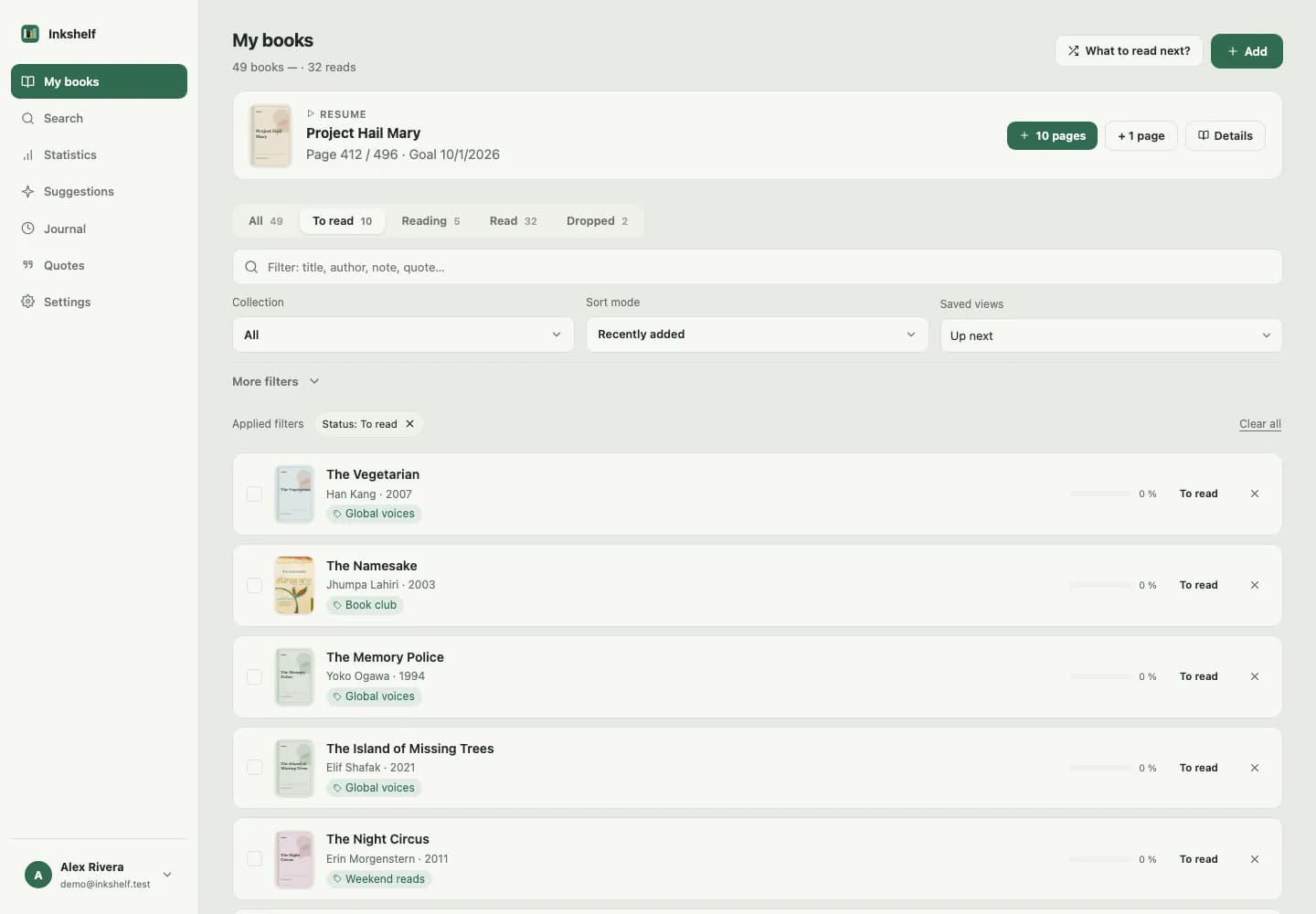
Inkshelf prevents a second entry with the same ISBN in one account. If you own two physical copies of that exact edition, record the extra copy in your notes; Inkshelf does not maintain separate records for both copies. Different editions may have different ISBNs, so also search by title when reviewing your catalog.
Start your home library catalog
Add one shelf, record where each book lives, and build from there.
Catalog my books in InkshelfKeep the catalog useful after the first pass
Add a new book before shelving it and update its location when you move it. Record a loan when the book leaves, then close it when the copy comes home. A quick review of one shelf every so often catches missing entries without turning maintenance into another large project.
If you also want a history of what you have read, keep that alongside the inventory rather than treating every owned book as finished. Our guide to tracking the books you read explains several ways to record completed reads and rereads.
Common questions about home library catalogs
What is the easiest way to catalog a small book collection?
Make a list with the title, author, and shelf location of each book. A notebook works if you rarely search the list. A spreadsheet makes it easier to sort and find titles later. Try one shelf first, then add fields for ownership, ISBN, or loans only when they solve a real problem.
Can I catalog books without an ISBN?
Yes. Enter the title and author manually, then add the location and any edition details you can identify from the book. An ISBN is useful for a lookup, but it is not required to make a searchable record. Check the copyright page if the back cover does not show a barcode.
How should I handle two copies of the same book?
First check whether they are different editions. Separate ISBNs can help you identify them. If both copies have the same ISBN, use a copy note or a catalog that supports multiple physical copies. Inkshelf stores one record per ISBN per account, so add the second copy to the record's notes.
Should I catalog books I want but do not own?
You can, as long as ownership stays visible. Keep a separate TBR list or mark wanted titles as not owned in your app. That way a search still tells you what is physically on your shelf. Review the wish list separately when deciding what to borrow or buy.
How do I keep track of books I lend?
Add the borrower and expected return date to the book's record when it leaves your shelf. Mark it returned as soon as it comes back, and update its location if you shelve it somewhere else. Keeping loan details with the catalog entry makes an empty shelf easier to explain.
Build a catalog you will use
A useful home library catalog starts with accurate titles and shelf locations. Add ISBNs, collections, series, and loan records where they help. Choose one shelf today, check the entries against the physical books, and repeat a process you can maintain.