Inkshelf vs Goodreads
Inkshelf or Goodreads: which fits the way you read?
Using Goodreads and considering Inkshelf? Start with what you want from a book app: finding your physical copies, keeping reading history, or talking with other readers. These two apps give those needs a different place.
A good fit when you want to
- Keep owned books separate from your TBR.
- Track pages, sessions, finished reads, and rereads.
- Organize shelf locations, series, and loans.
- Preview a Goodreads CSV before importing.
Choose the reading experience you actually need
Goodreads centers public reviews, friends, and book discovery. Inkshelf centers your own book records and reading history. It gives you shelf locations, ownership, collections, and loan details alongside your current page and completed reads.
Both apps let you keep lists of books you have read or want to read. Inkshelf adds ownership, shelf locations and loans to your catalog. Goodreads lets you see friends' books, read community reviews and discover personalized recommendations.
See how a personal catalog is organized
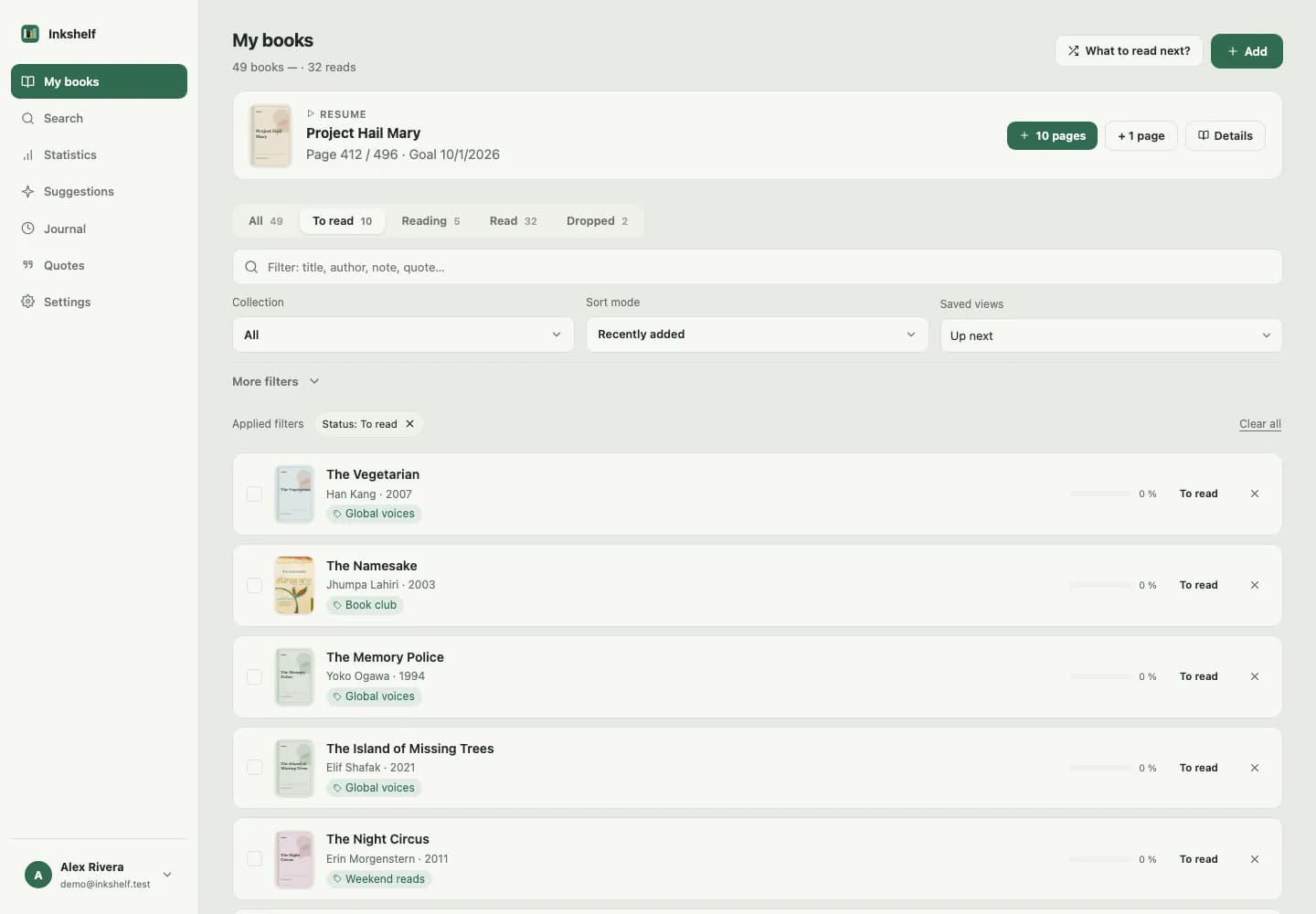
What you can do after moving your books
Manage a physical collection
Record ownership, shelf locations, collections, series, and who borrowed a book.
Keep reading history
Track pages and sessions, save completed reads, and add another entry when you reread a book.
Take your data with you
Export your Inkshelf books and histories as versioned JSON. Keep the original Goodreads CSV for fields the importer does not read.
Check the fit before moving your library
Name your main need
If community reviews and discussions are your main reason to open Goodreads, check whether a personal catalog is the change you want.
Try one physical book
Add a book in Inkshelf, record its shelf location and find it with a filter. Save your current reading page as well.
Review what would transfer
If the workflow fits, check the supported CSV fields before moving your history. Keep your original Goodreads export.
Goodreads alternative questions
Can I import my Goodreads books?
Yes. Download your library CSV from Goodreads on the web, then upload it in Inkshelf. Review the preview and decide how to handle duplicates before confirming.
Will my Goodreads reviews and shelves transfer?
No. Inkshelf reads supported book fields and reading status from the CSV, but it does not import written reviews or turn custom Goodreads shelf names into collections.
Is Inkshelf a social reading network?
Inkshelf supports selective sharing, but its main tools are a personal library and reading tracker. If public reviews and group discussion are essential, compare other community-focused options too.
Try your library in Inkshelf
Add a book or preview your Goodreads CSV to see how your catalog would look.
Start my library